Your Cart (0)

Which LaMotte Spin Touch Disk Do I Need? Every DW, FX and FF Spin Disk Explained
Match every LaMotte WaterLink Spin Touch SpinDisk to the right meter and water type. Parameters, part numbers and ranges for DW and FX disks, plus FF replacements.
by Spectra Services • November 09, 2026
The short answer
Every WaterLink Spin Touch meter reads a SpinDisk, a small reagent cartridge that holds premeasured chemistry for several tests at once. You fill the disk with less than 3 mL of sample, close the lid, and the meter spins it, blanks itself and times every reaction. Pick the disk by two questions: which Spin Touch meter you own, and what kind of water you are testing.
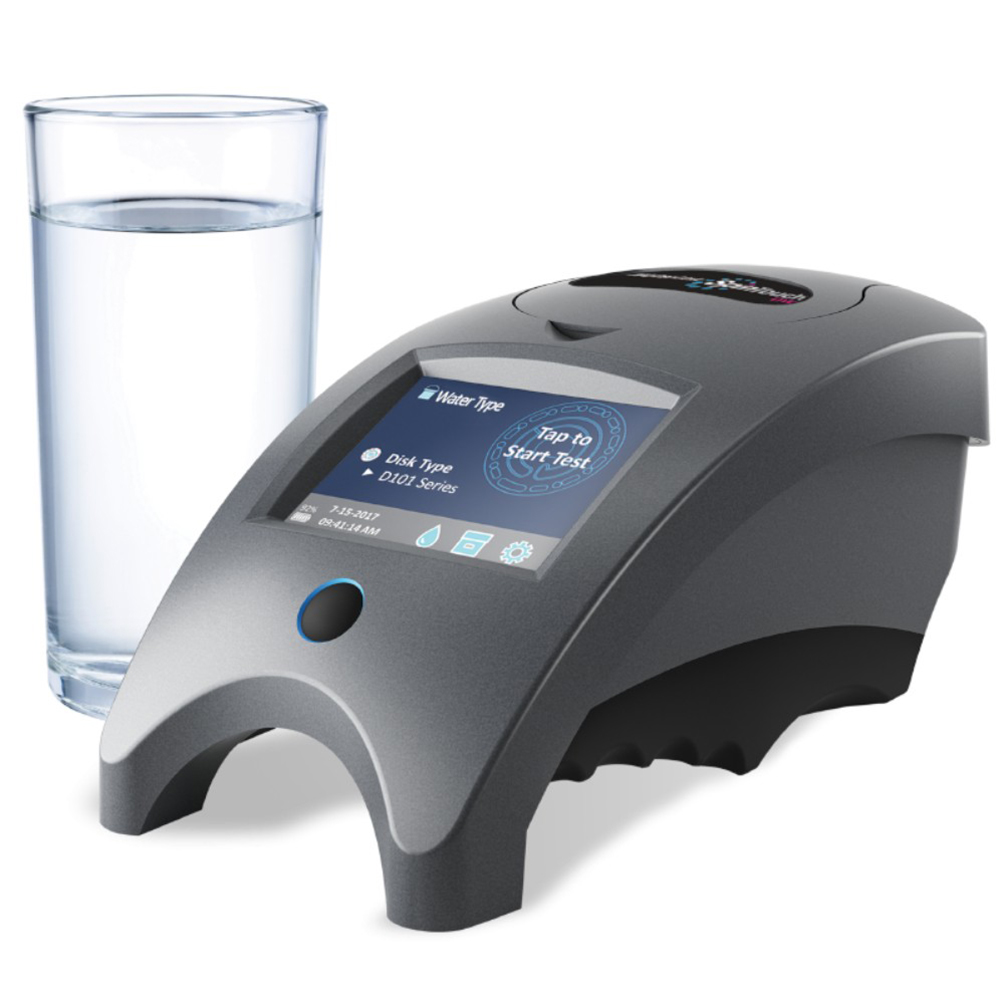
- Spin Touch DW (drinking water): use DW13 Treated Water (4336-H) or DW21 Well Water (4337-H).
- Spin Touch FX (fresh, salt and brackish water, including fish farming): use FX104 Fresh Water (4353-H) or FX203 Salt Water (4354-H).
- Spin Touch FF (fish farming, discontinued): FF104 (4351-H) and FF203 (4352-H) are no longer made. Use FX104 (4353-H) or FX203 (4354-H) instead.
These disks come 50 to a box and are single use. The sections below list exactly what each one measures.
Spin Touch DW disks: drinking water and well water
DW13 Treated Water disk (4336-H)
DW13 is built for water that has already been treated: municipal supplies, chlorinated systems and the outlet side of a treatment install. It reports eight parameters in about one minute.

- Free chlorine: 0 to 15 ppm
- Total chlorine: 0 to 15 ppm
- Combined chlorine: 0 to 15 ppm
- pH: 6.4 to 10.0
- Total hardness: 0 to 70 gpg (0 to 1,200 ppm)
- Total iron: 0 to 6 ppm
- Copper: 0 to 6 ppm
- Total alkalinity: 0 to 250 ppm
Choose DW13 when you need to confirm that a chlorinator, softener or iron filter is doing its job, or when a customer on city water asks why their water tastes of chlorine.
DW21 Well Water disk (4337-H)
DW21 is the disk most water treatment dealers reach for on a first visit to a private well. It runs nine tests in about two minutes and adds the nitrogen tests that matter on rural and agricultural property.

- pH: 4.5 to 8.6
- Total hardness: 0 to 70 gpg (0 to 1,200 ppm)
- Total iron: 0 to 6 ppm
- Ferric iron: 0 to 6 ppm
- Ferrous iron: 0 to 6 ppm
- Copper: 0 to 6 ppm
- Nitrate (as NO3): 0 to 45 ppm
- Nitrite (as NO2): 0 to 2 ppm
- Total alkalinity: 0 to 250 ppm
The split between ferric and ferrous iron is what makes DW21 useful for sizing equipment. Ferrous (clear water) iron and ferric (red water) iron call for different treatment, and you get both numbers from one disk instead of two separate tests. The nitrate range tops out at 45 ppm as NO3, which lines up with the EPA drinking water limit of 10 mg/L as nitrogen, so a reading near the top of the range is a clear signal to send a sample to a certified lab.
DW13 or DW21?
If the water comes from a private well and has not been treated yet, start with DW21. If you are checking treated or chlorinated water, use DW13. On a well install, use DW21 both before and after so the two results compare directly. Keep DW13 on the truck for city water customers.
Spin Touch FX disks: fresh, salt and brackish water
The Spin Touch FX is the most flexible meter in the family. It runs up to eight tests in about two minutes and connects over USB-C or Bluetooth to WaterLink Solutions for logging. Aquaculture operations, public aquariums, environmental programs and research labs use it because the same meter handles fresh and salt water.
FX104 Fresh Water disk (4353-H)
- Alkalinity: 0 to 250 ppm
- Ammonia: 0.0 to 3.0 ppm
- Hardness: 0 to 500 ppm
- Nitrate: 0 to 300 ppm
- Nitrite: 0.0 to 2.0 ppm
- pH: 4.5 to 10.0
- Phosphate: 0.0 to 2.0 ppm
FX203 Salt Water disk (4354-H)
- Alkalinity: 0 to 300 ppm
- Ammonia: 0.0 to 3.0 ppm
- Calcium: 200 to 800 ppm
- Magnesium: 500 to 2,200 ppm
- Nitrate: 0 to 60 ppm
- Nitrite: 0.0 to 2.0 ppm
- pH: 6.5 to 10.0
- Phosphate: 0.0 to 2.0 ppm
Testing brackish water on the FX
For brackish water between 10 and 20 ppt salinity, LaMotte pairs the FX203 Salt Water disk with the Brackish Tablet Package (3865-PKG). Brackish samples do not report magnesium. If your sites swing between fresh and brackish with the tide or the season, stock both disks and the tablet package.
Discontinued FF disks and what replaces them
LaMotte has discontinued the Spin Touch FF disks for fish farming. If you are searching for an FF part number, here is the current replacement for the Spin Touch FX:
- FF104 Fresh Water (4351-H): replaced by FX104 Fresh Water (4353-H).
- FF203 Salt Water (4352-H): replaced by FX203 Salt Water (4354-H).
The FX disks cover the same core tests fish farms run every day: alkalinity, ammonia, nitrate, nitrite, pH and phosphate, plus hardness on fresh water and calcium and magnesium on salt water.
How to pick the right disk in four steps
- Check the model on the meter label: DW (3585) or FX (3589).
- Decide what water you are testing: treated drinking water, raw well water, fresh water or salt water.
- Match the two using the lists above.
- Order by the box. At 50 disks per box, a dealer running ten well tests a week uses about one box a month.
Getting reliable results from every disk
- Fill to the line. Use the syringe supplied with the meter and fill until the sample reaches the fill line. Under-filled disks are the most common source of odd readings.
- Keep disks sealed and cool. Store unused disks in their foil pouches, away from heat and direct sun, and use them before the expiration date on the box.
- Calibrate with the included disk. Every Spin Touch ships with a calibration disk. Run it about once a month, or any time a reading looks off.
- Test fresh samples. Iron, chlorine and nitrite can change within minutes of sampling. Test on site when you can.
Related reading: Well water testing for water treatment pros: what the Spin Touch DW measures
Frequently asked questions
Can one Spin Touch meter run a different disk type?
Often, yes. When you start the meter you can switch which model it runs as, so one unit can read another disk series. Call us before you order if you are not sure your meter supports the disk you want.
How much sample does a SpinDisk need?
Less than 3 mL. The meter splits that sample across the reagent chambers inside the disk.
How long does a test take?
About one minute for the DW13 Treated Water disk and about two minutes for the DW21 Well Water disk and the FX disks.
Are SpinDisks reusable?
No. The DW and FX disks covered here are single use.
How many disks come in a box?
Fifty.
What is the WaterLink Spin Touch?
A handheld photometer from LaMotte that runs a full panel of water tests from one disk. You fill the disk with a few milliliters of sample, the meter spins it, and every result appears in one to two minutes.
How do I calibrate a Spin Touch?
Use the calibration disk that comes in the box. Calibrate about once a month, or any time a reading looks off. If readings still look wrong after calibrating, call Spectra for service.
How accurate is the Spin Touch?
LaMotte publishes the range and resolution for every test on each disk's spec sheet. In practice, most bad readings come from under-filled disks, expired disks or old samples, so the handling steps above matter as much as the meter.
Stock up or get a recommendation
Spectra Services carries the full range of WaterLink Spin Touch meters and SpinDisks, and our team can tell you which disk fits your meter and your water before you order. Shop SpinDisks online, or call 585.265.4320 and we will help you set up a standing order so you never run out mid-season.
Shop LaMotte Spin Touch disks See the Spin Touch FX See the Spin Touch DW
overall rating:
my rating:
log in to rate